Bible reading & study

Read the Bible,
every day

Pick a pace you can actually keep, plan what you'll study for each study day, and write notes that stay with the chapter they belong to.

Free · No ads · No account · iOS
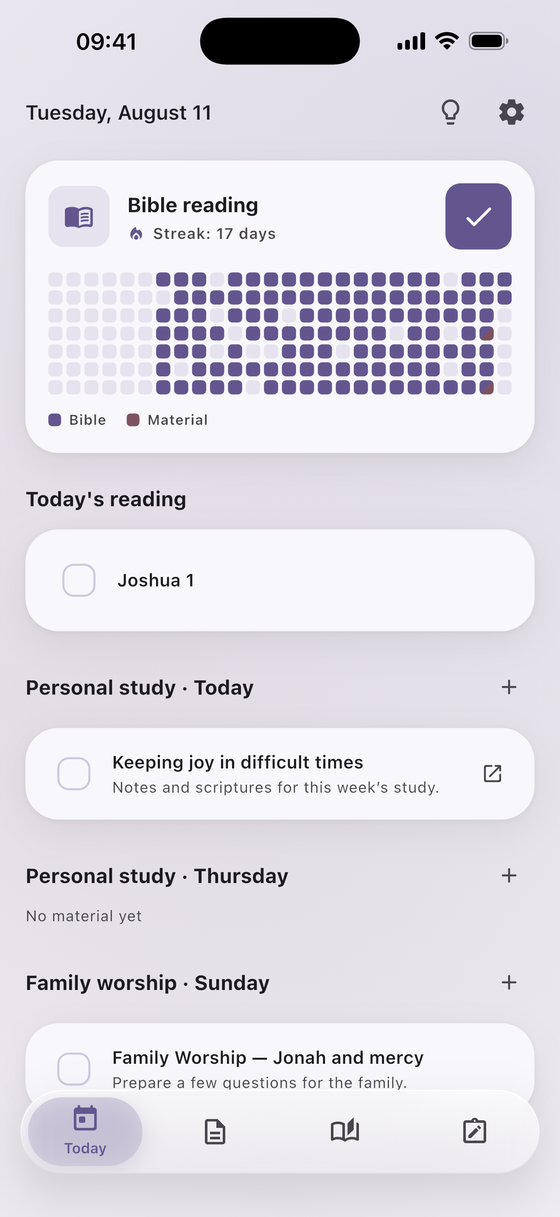
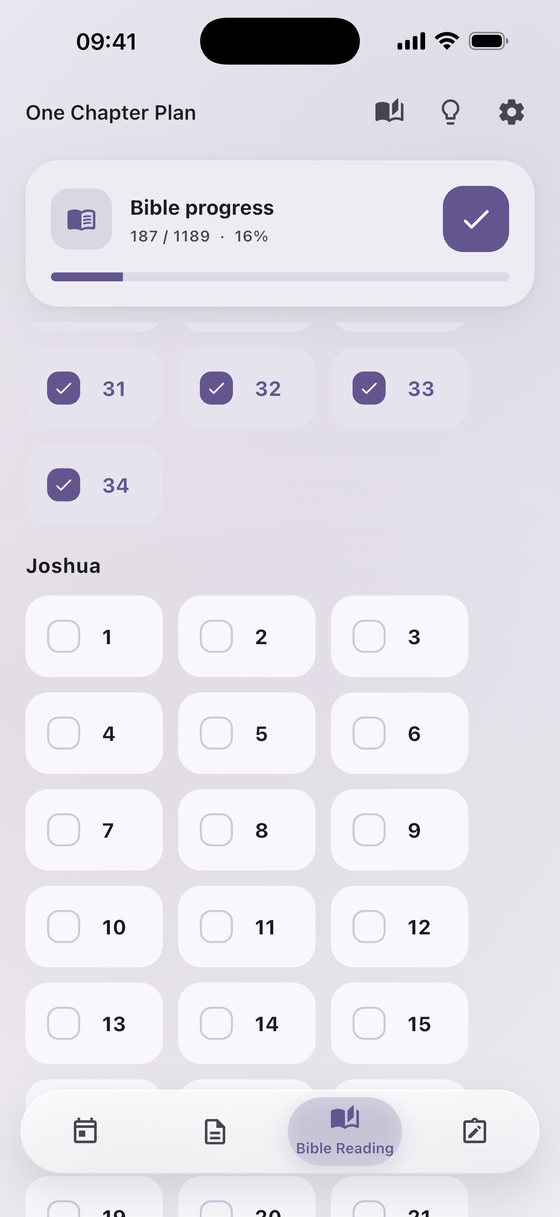
The Today screen: reading progress, today's chapter, and material planned for upcoming study days

Everything in one place

Your reading, your study material, and your notes — connected.

📖

A plan you can keep

Read one chapter a day, or go through the whole Bible in a year. Tick chapters off as you go.

🔥

Progress you can see

A reading streak and a six-month calendar showing every day you read — and every day you studied material.

🗂️

Material for the right day

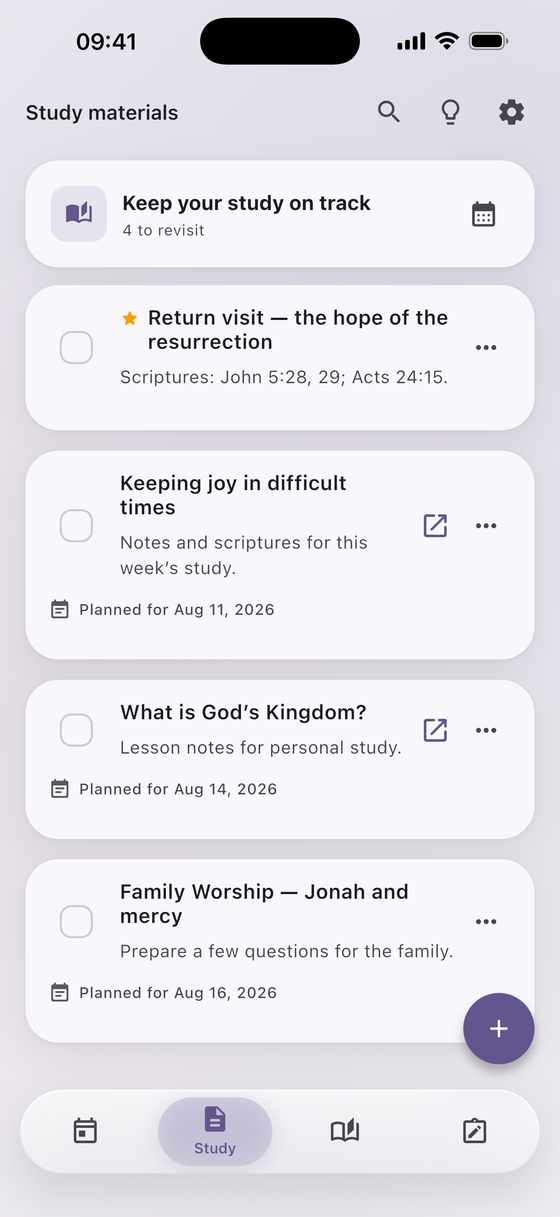
Save articles and links, then choose the study day you'll go through each one. They show up under that day.

📝

Notes with the chapter

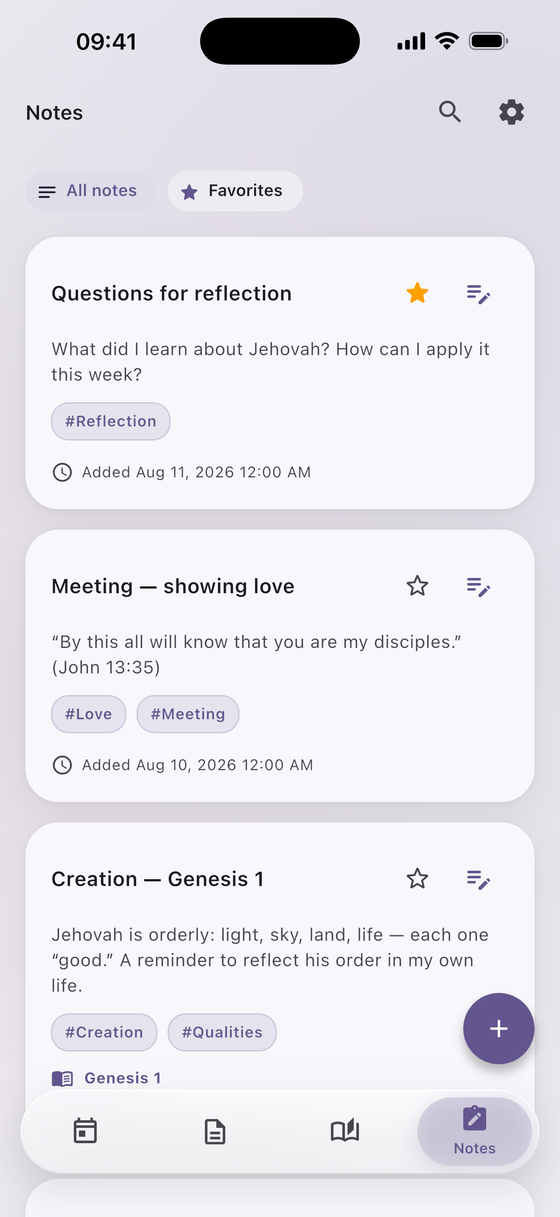
Link a note to a Bible book and chapter, attach photos or files, add tags, and find it again with search.

🔔

Reminders that fit

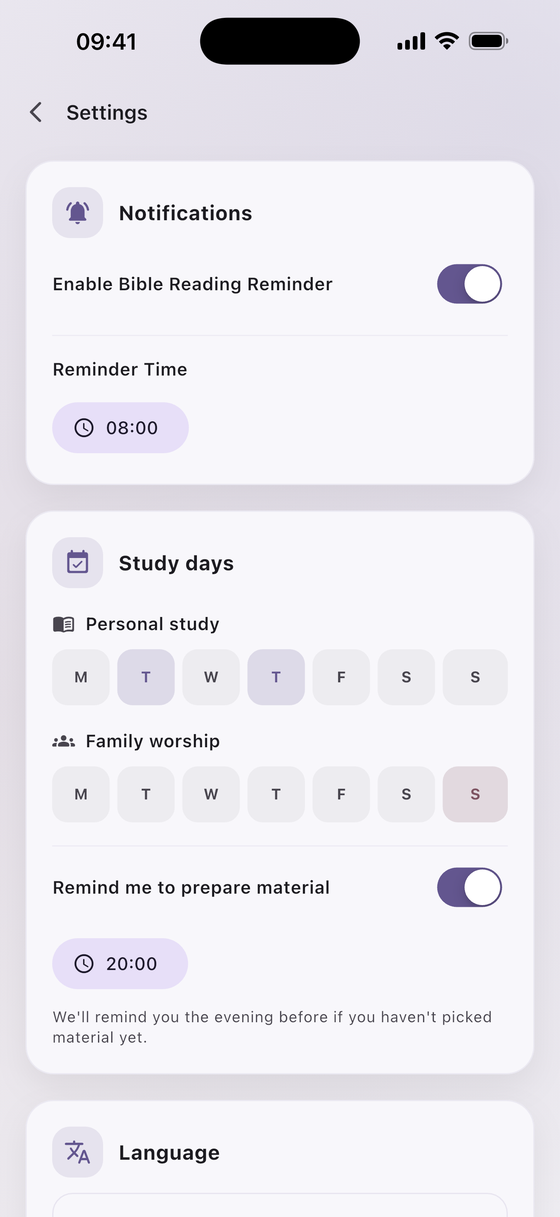
A daily reading reminder at your chosen time, plus a nudge the evening before a study day if you haven't picked material.

📲

Home screen widgets

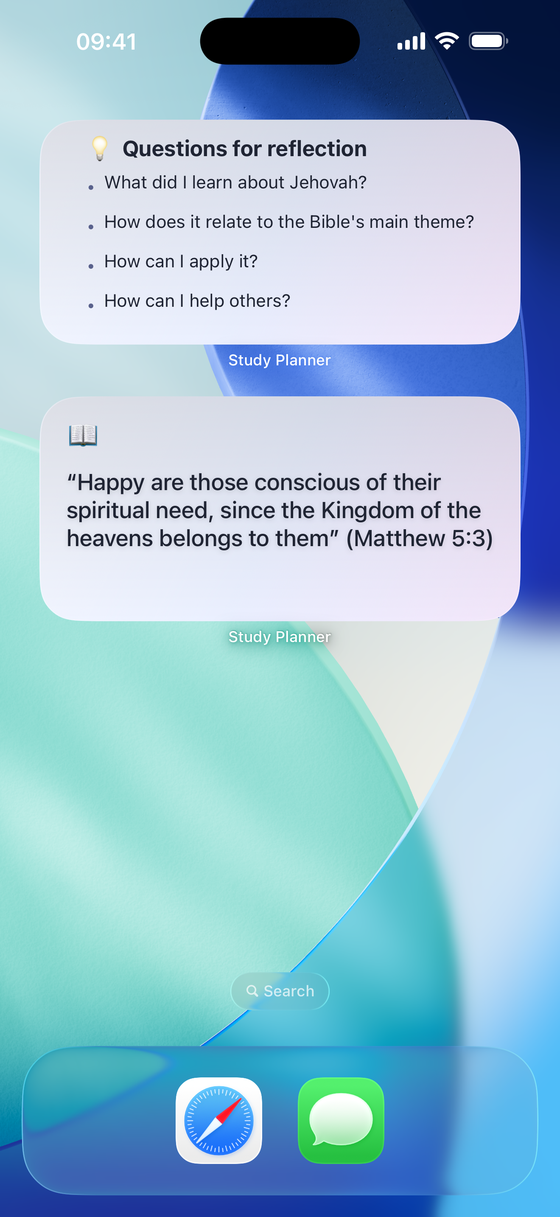
Keep the verse for the year and your reflection questions where you'll actually see them.

See it in action

Quiet, uncluttered, and built around a daily habit.

Today screen with reading streak and planned study material
Bible reading plan with chapter progress
Saved study material with planned dates
Notes with tags and chapter references
Settings: study days and reminders
Home screen widgets

How it works

1

Choose your pace

One chapter a day, or the whole Bible in a year. You can change your mind later.

2

Set your study days

Mark the days for personal study and family worship, and pick when to be reminded.

3

Read and take notes

Tick off each chapter, save material for a study day, and keep your notes with the text.

🔒

Your study stays yours

No account, no ads, no analytics or tracking SDKs. Your reading progress, notes, and study material stay on your device. The app itself makes one kind of network request: fetching the title of a link you save, so you don't have to type it in. Anything else that touches the network — a voluntary tip, or the App Store rating prompt — is handled by Apple.

Read the full privacy policy →

📖

Start your reading habit today

Free to download, with every feature unlocked and no ads.

Download on the App Store